.png?alt=media&token=257c727c-b298-44f2-87f1-5b1fa85b4a58)
Report conversion from BetterFunnel LP to Google Ads
Prerequisites
Google tag manager is installed in the account, if not See the Guide.
You have an active campaign with at least one active variant.
Configure a conversion goal in Google Ads.
We automatically detect if the gtag is installed and send events that you can capture in GTM.
BetterFunnel events:
betterfunnel-conversion - sent for every conversion
betterfunnel-button-click - sent for every button click
betterfunnel-form-submission - sent for every form submission
How to send a Google Ads conversion after a conversion occurs on the LP
Create a Trigger in Google Tag Manager
The first step is to create a new Trigger to capture the BetterFunnel event.
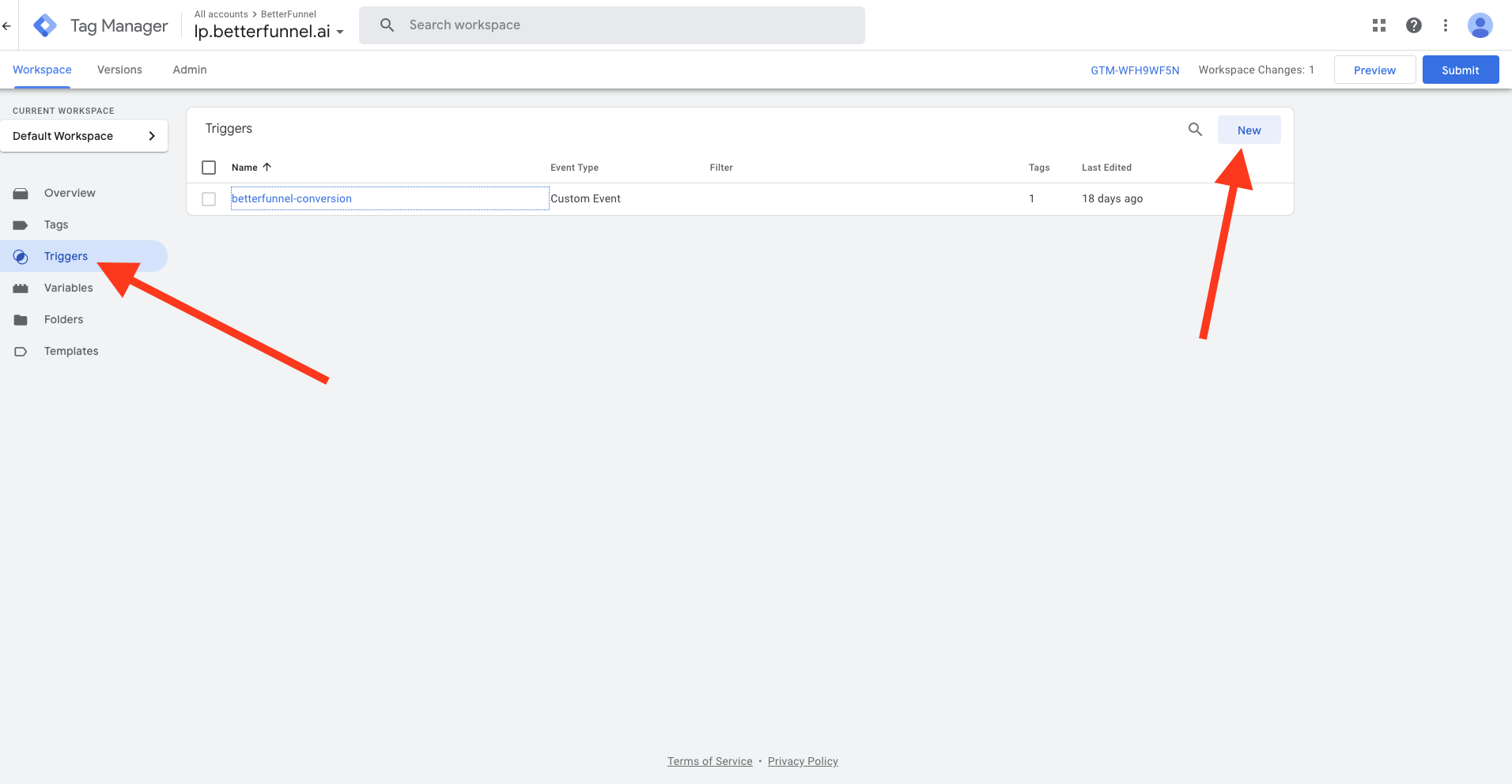
Login to GTM, navigate to the Container that is connected to BetterFunnel go to Triggers tab and click New.
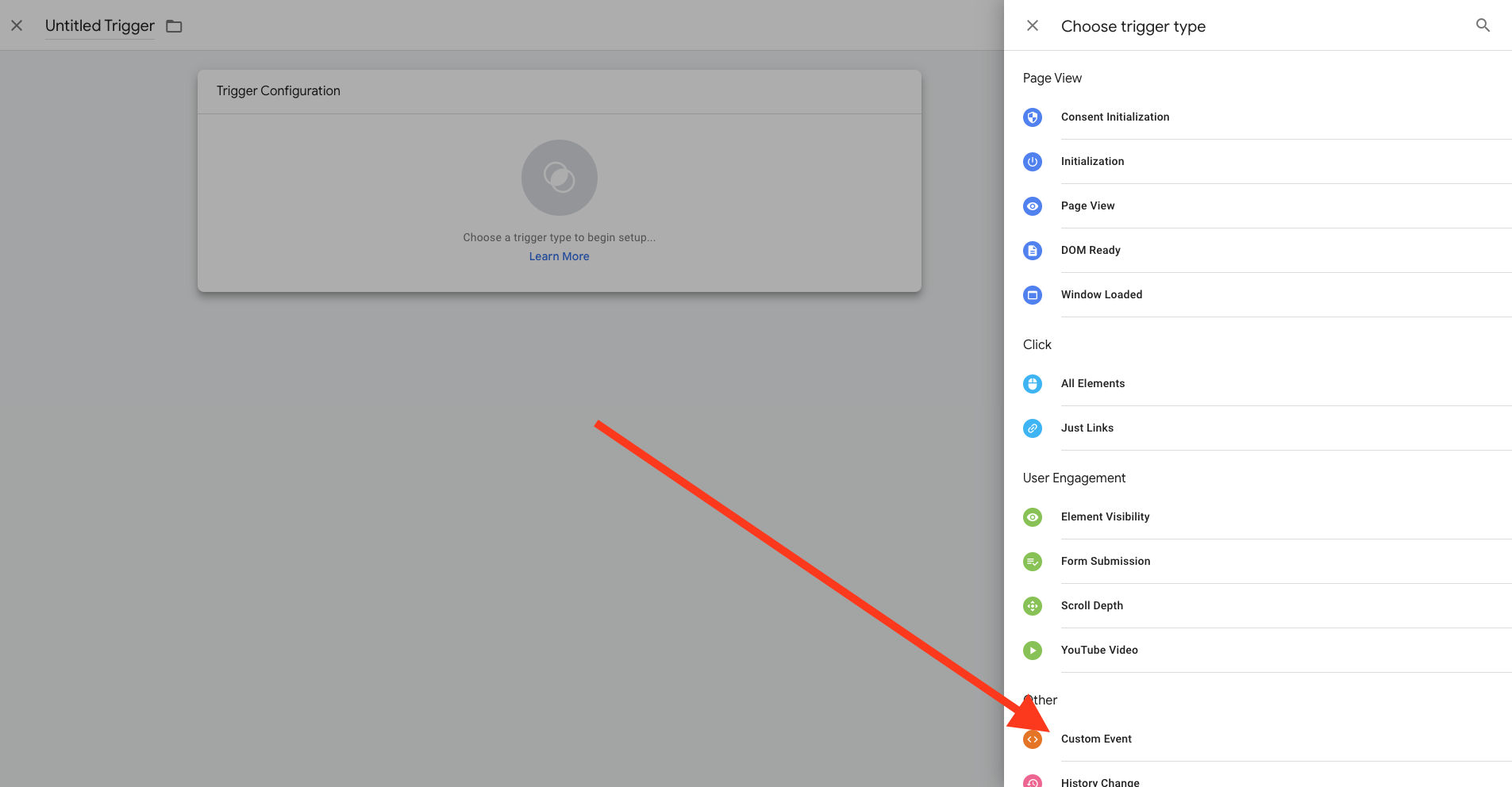
Select a the "Custom Event" trigger type
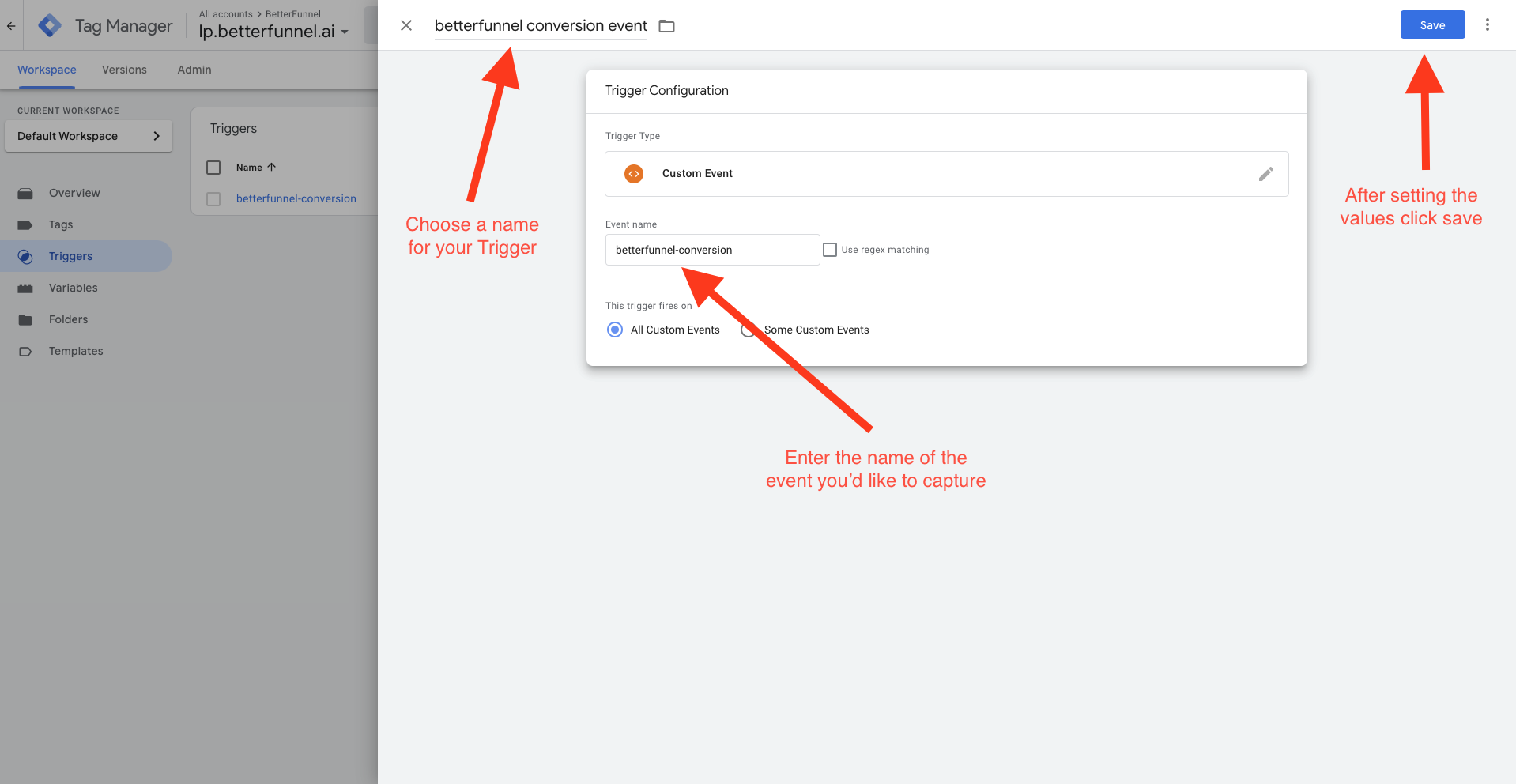
Fill the Event name and Trigger name and click save.
Create a Tag to report conversion to Google Ads
The second step is to create a new Tag that will send the Google Ads Conversion upon receiving the event we just created.
Make sure you already have the Google Ads Conversion Linker tag added to the container.
Navigate to the Tags tab and click New.
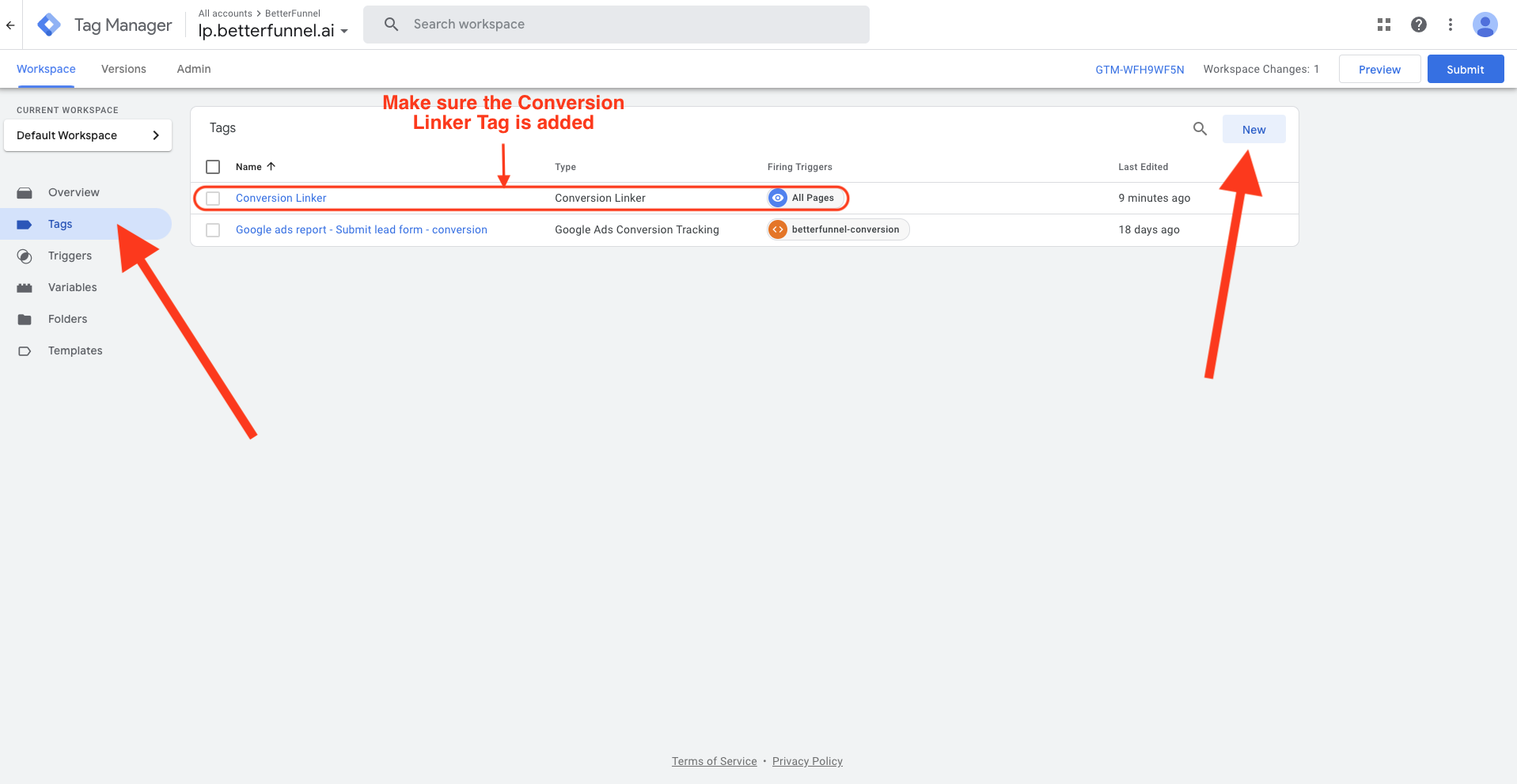
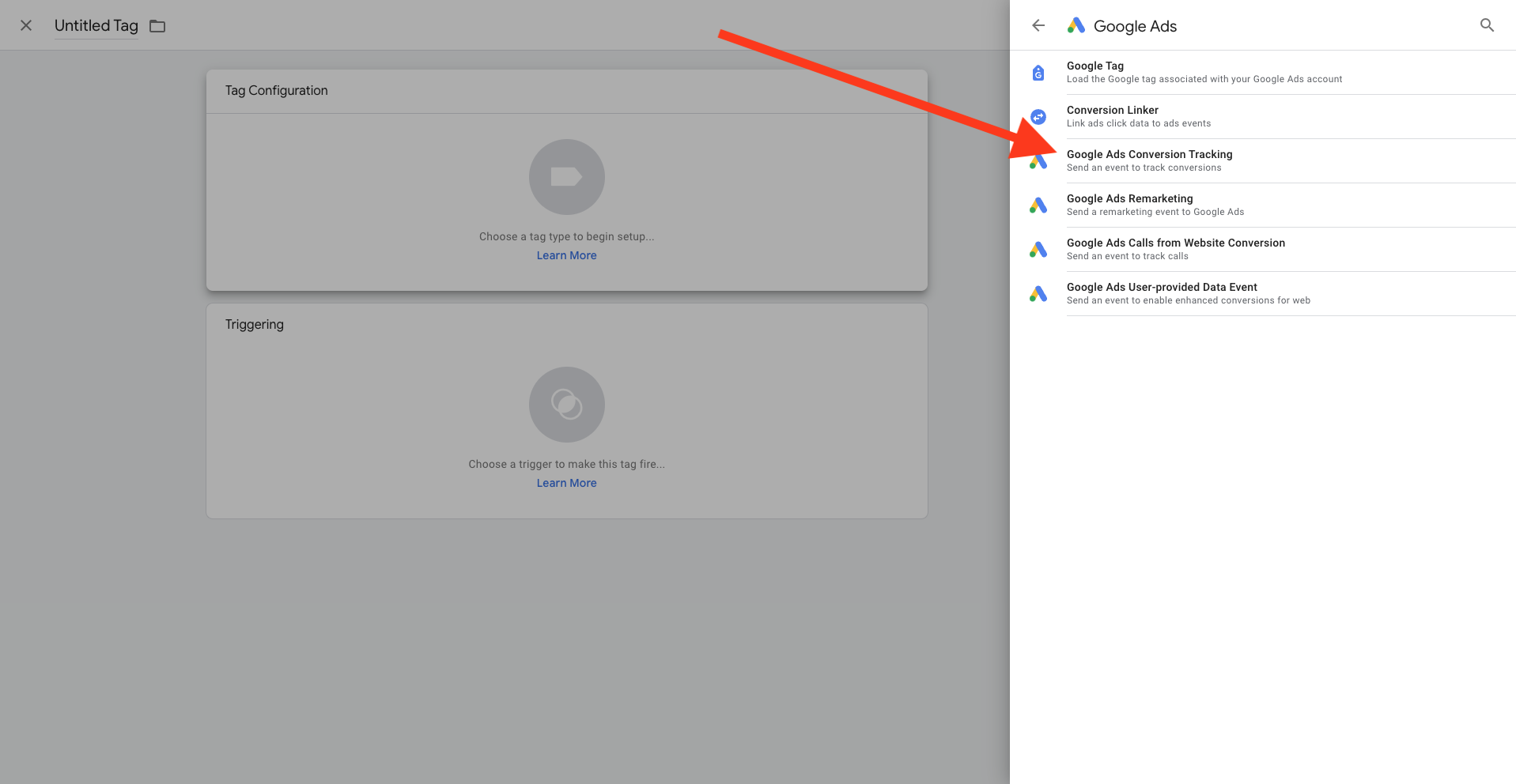
Click on the tag cotainer and choose the Google Ads Conversion Tracking tag type.
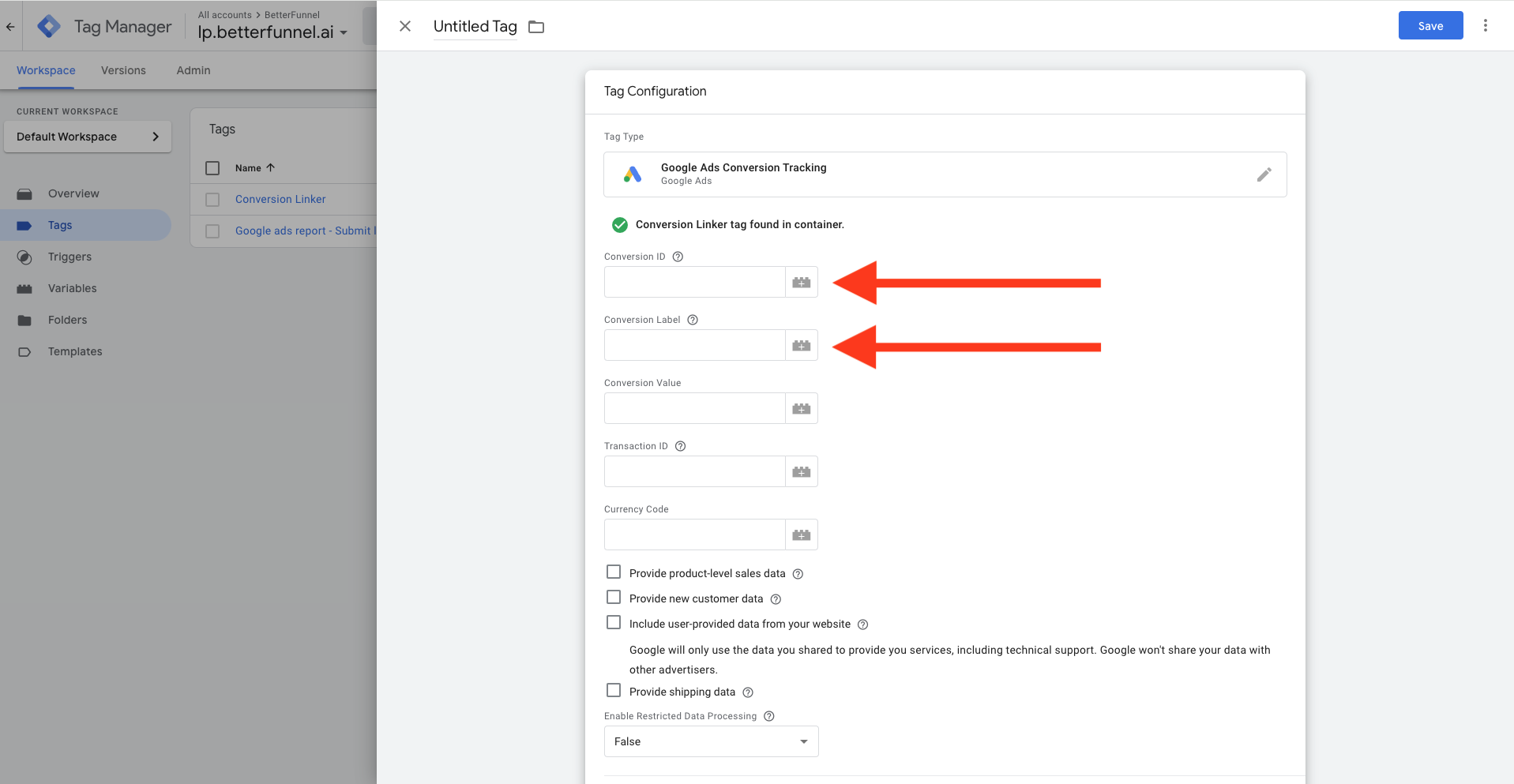
Then fill the Conversion ID and Conversion Label fields (values provided by Google Ads)
Then scroll to the bottom, click the trigger container and choose the trigger we have just created.

After everything is configured properly, give a name to your new tag and click save.

Publish your changes to Google Tag Manager
For the last step click publish to make your changes live.
It's recommanded to test the setup using the Google Tag Manager's Tag Assistant.
To open the Tag Assistant click on the large Preview button. enter the LPs url and perform the action you'd like to send to Google Ads.
After performing the action check if the Google Ads Conversion Tracking tag was triggered.