.png?alt=media&token=257c727c-b298-44f2-87f1-5b1fa85b4a58)
Streaming Events From GTM to BetterFunnel
BetterFunnel Event Streamer is a unique tag template designed to integrate custom events from GTM to BetterFunnel with ease. This efficient solution is perfect for users who need to track custom events between GTM and BetterFunnel. By installing the BetterFunnel streamer as a GTM template, you can easily configure the events to be transmitted from GTM to BetterFunnel.
For example, if you have tags in GTM for actions like “Add to Cart,” “Proceed to Checkout,” and “Purchase,” and you're tracking these events in Google Analytics, you may also want to import them into BetterFunnel for a campaign assessing a product’s marketability. No extensive integration is required—simply install the BetterFunnel Event Streamer as a custom template in your GTM account. This setup will automatically stream all your custom events from GTM to BetterFunnel.
For advanced features, such as sending campaign data from BetterFunnel to GTM or using a GTM data layer variable to target visitors in BetterFunnel campaigns, you will need to integrate your BetterFunnel account with GTM.
Installing BetterFunnel Event Streamer on GTM
Download the BetterFunnel Event Streamer tag template from here, extract the files, and follow these steps to install it on GTM:
Log in to your GTM account and choose the workspace where you want to install the BetterFunnel Event Streamer.
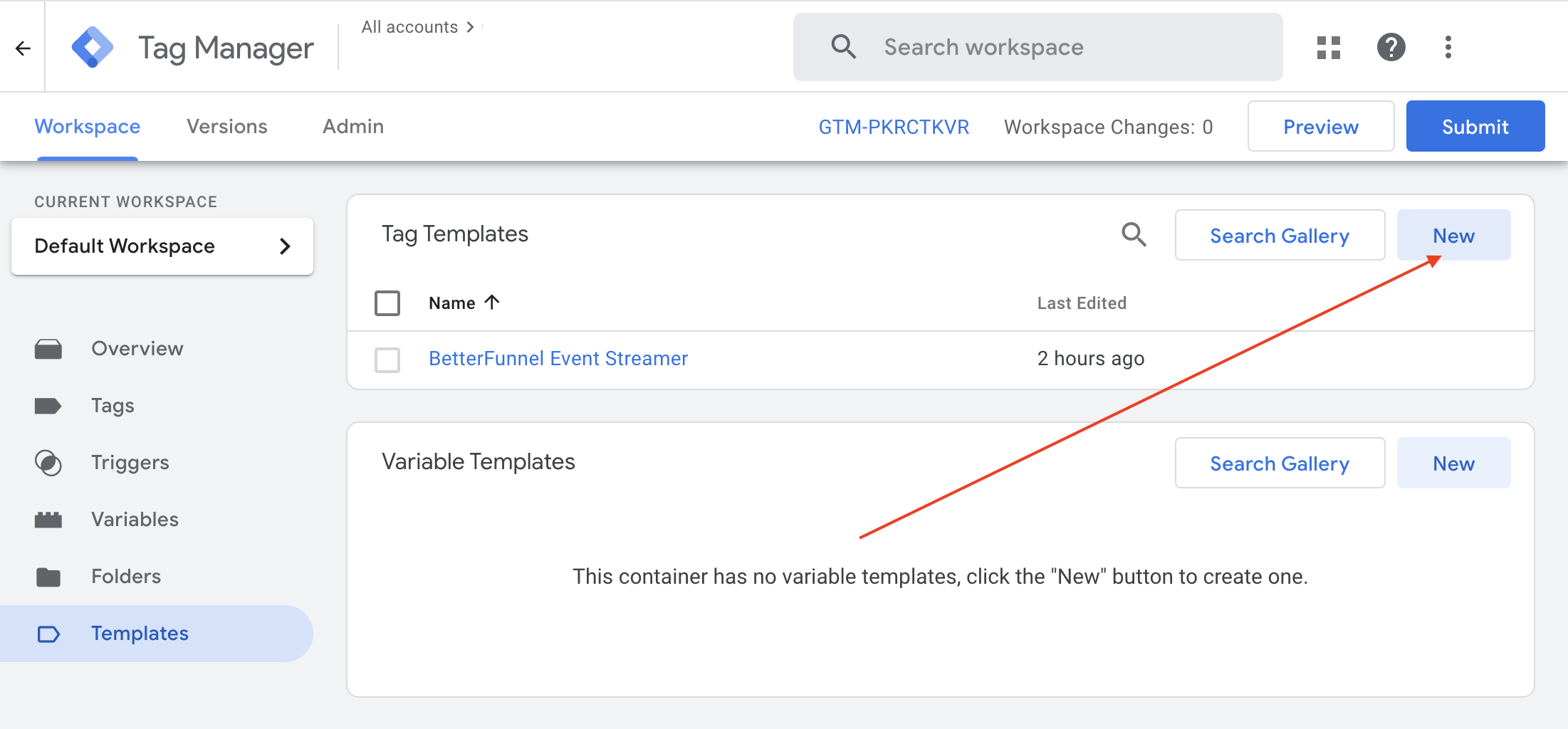
Navigate to Templates from the main menu on the left, then select Tag Templates, and click on New.
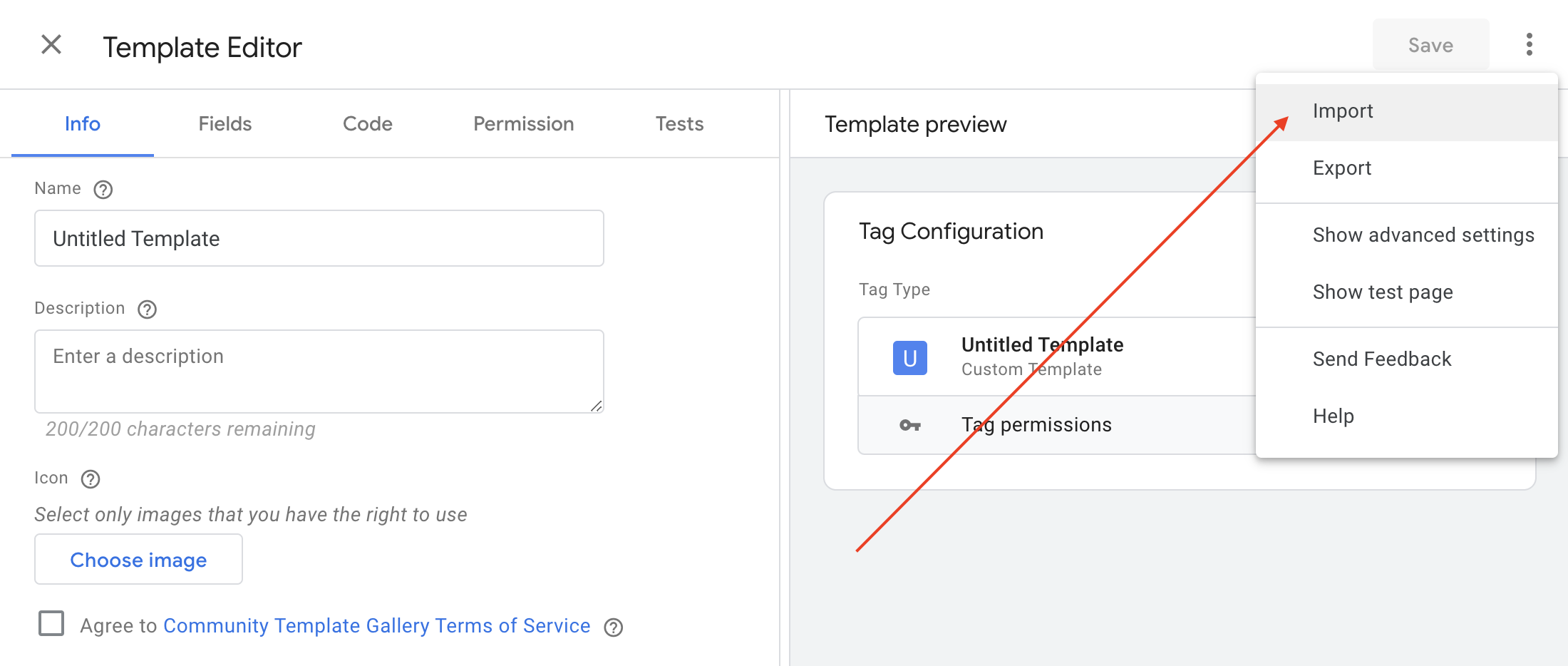
On the Template Editor page, click the three vertical dots (⋮) and choose Import.
Locate and select the BetterFunnel Event Streamer.tpl file from the BetterFunnel Event Streamer files you’ve downloaded. This will upload the template to GTM.
Click Save to finalize the import of the BetterFunnel Event Streamer template.
Using BetterFunnel Event Streamer on GTM
After importing the BetterFunnel Event Streamer template, you can easily stream events from GTM to BetterFunnel by following these steps:
In your GTM dashboard, go to Tags > New from the main menu.
Enter a name for your new tag and click on the Tag Configuration section.
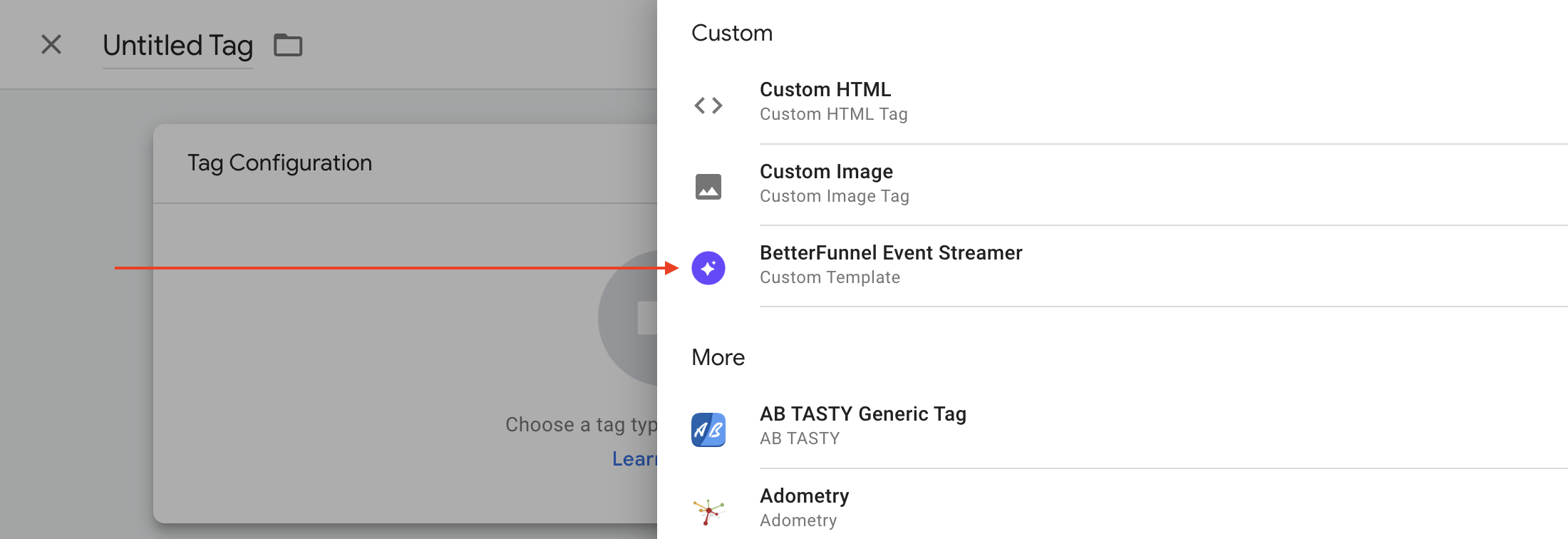
In the Custom section, select the BetterFunnel Event Streamer tag that you imported earlier.
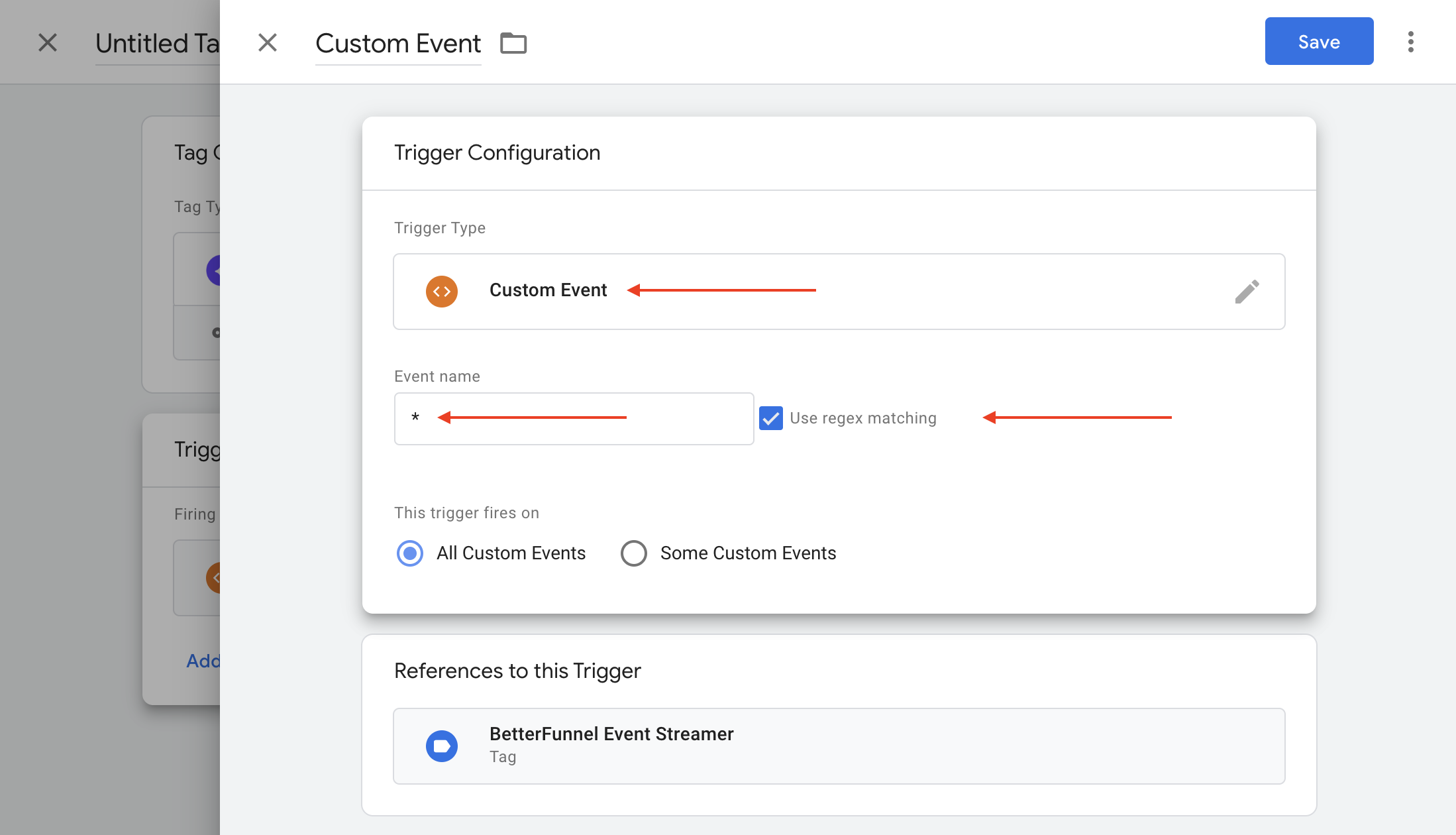
Navigate to the Triggering section, and click the + button located in the top-right corner to set up a new trigger.
If you have any question feel free to contact our support team - support@betterfunnel.ai